
SHOW EVERY ANGLE
3D Product Visualization
Turn a product image into an interactive 3D asset for your next concept, campaign or product page.
30 free credits on day one · No card required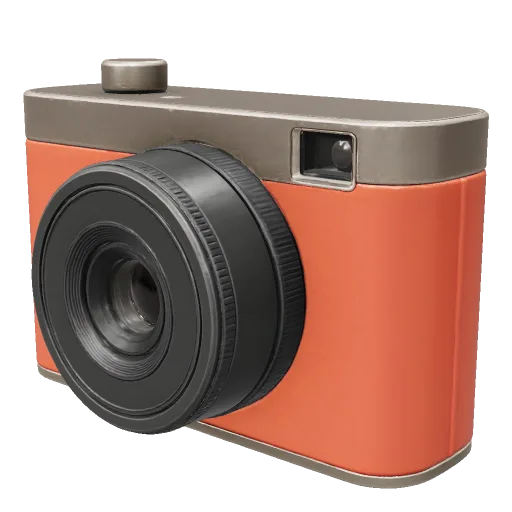
Three ways to use product 3D
Explore a different asset and viewing mode in each example.
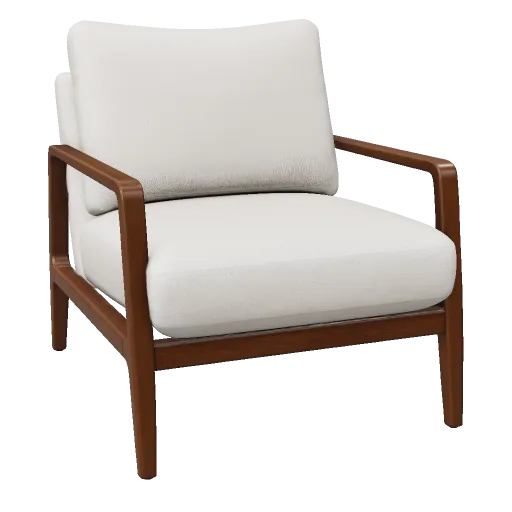
Lounge Chair
Explore the shape
A textured chair visitors can turn and inspect.
Use a lightweight poster until the model loads.
REAL GENERATIONS
Real product concepts
Compare the source with its generated model.
From reference to delivery
- 01
Reference
One product, a clean background and a clear view of its shape.
- 02
Generate
Choose geometry and textures. Review the credit cost before starting.
- 03
Inspect
Check materials, proportions and the back inferred by AI.
- 04
Deliver
Download the GLB. Use a small poster and load 3D on demand.
Ready for your next step
For a product page
Check load speed on a phone. Keep the product photo visible while 3D loads.
Inspect your GLBFor an accurate product
Verify dimensions and details against the real item. Use CAD or scanning when exact fit matters.
For your team
Keep concepts in My models and download a version when it is ready to share.
Open My modelsProduct visualization questions
Clear answers to common questions about generating, inspecting, repairing, and downloading 3D assets with Fomrix.
Have other questions?
Contact Fomrix support
Need guidance on a specific reference image, custom formats, or print prep? Reach out anytime.
support@fomrix.comCan I create ecommerce 3D models from a product image?
Yes. A clear product image can start an AI product-image-to-3D workflow. Because one image cannot reveal every surface, inspect the generated back, underside and proportions before publishing the asset.
What does an interactive product viewer need besides the GLB?
Plan a poster or fallback image, a loading state, touch-friendly rotate guidance, accessible product information and a performance budget for the page where the model will appear.
Is an AI-generated product model dimensionally accurate?
No. A single photo cannot provide reliable hidden geometry or engineering dimensions. Use measured CAD or scanning when tolerances and exact fit matter.
How should I prepare a product reference image?
Show one complete product at a readable three-quarter angle, keep its silhouette inside the frame and avoid reflections or background details that erase important boundaries.
Can the same GLB be used on desktop and mobile product pages?
Often, but the asset still needs performance testing on the actual devices and placement. Texture size, triangle count, file weight, fallback media and loading behavior all affect the experience.
Let the product do the talking
Start with one image and inspect the result in Studio.