
Skip to content
Local Browser 3D Viewer

OBJ Viewer Online

Open OBJ geometry online and inspect the model from any angle without launching a desktop 3D tool.

Open OBJ file
Best forPortable geometryViewer readsObjects + facesSidecar riskMTL + textures

Open a 3D file to start viewing.

Drop a OBJ file here or choose one from your device.

Your OBJ stays on this device while you inspect its geometry.

Interactive 3D Preview

OBJ GEOMETRY INSPECTION

Open lightweight OBJ geometry without a desktop tool

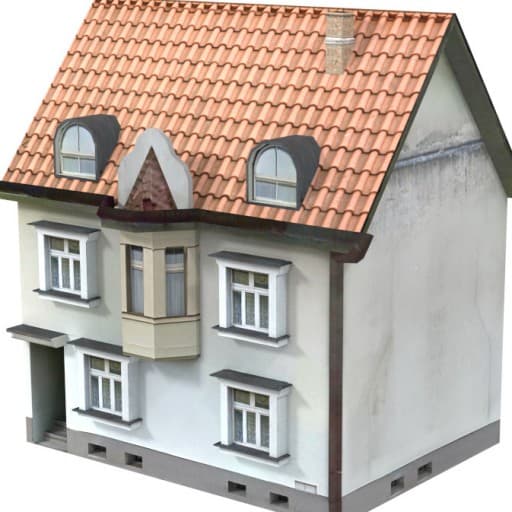
The compact house is a real OBJ file. It demonstrates local geometry review while keeping external MTL and texture limitations explicit.

OBJ816 facesGeometry preview
Format OBJAppearance Geometry only; no embedded textures
Interactive 3D Previewinitializing
OBJGeometry only · no textures
Drag to orbit · Scroll to zoom
OBJ INSPECTION

Inspect OBJ Geometry Online

For a self-contained web asset, GLB is often easier to move and preview because it can package scene data into one binary file.
01 / FOCUS

Object groups

See how many mesh objects and faces the OBJ contains.

02 / FOCUS

Package check

Identify when appearance depends on separate MTL and image files.

03 / FOCUS

Geometry review

Orbit the untextured mesh to inspect silhouette and topology.

OBJ SIDECAR LAB

View an OBJ File Online With Its Material Sidecars

Assemble a sample OBJ package to understand why geometry can open correctly while its surface appearance is still missing.
product.objGeometry present
product.mtlMaterial map missing
textures/Texture images missing
Assemble a sample OBJ package

The OBJ can open while its appearance is still incomplete

OBJ geometry usually relies on sidecar files. Toggle the related files to see what a complete handoff requires.

File names and relative texture paths must still match inside the MTL.
HELP & SUPPORT

OBJ Viewer Questions

Clear answers to common questions about generating, inspecting, repairing, and downloading 3D assets with Fomrix.

Have other questions?

Contact Fomrix support

Need guidance on a specific reference image, custom formats, or print prep? Reach out anytime.

support@fomrix.com
Can I view a OBJ file online without installing software?

Yes. The Fomrix OBJ viewer is designed to open supported files directly in a modern browser so you can inspect the model without launching a desktop 3D application.

Can I rotate and zoom the model?

Yes. Use mouse or touch controls to orbit around the model, zoom in and out, and reset the camera when needed.

Does the viewer change my original file?

No. Viewing a file does not modify the original asset. Conversion or repair is handled as a separate action.

Can I use the viewer on mobile?

The interface should work on modern mobile browsers, although very large 3D files can be slower to load on devices with limited memory.

What should I do if the file does not load?

Confirm that the file extension matches the actual format, try a smaller model, and check whether external textures or related files are required. If the geometry itself is damaged, use the relevant repair workflow where available.

Why does my OBJ model appear without textures?

The OBJ may depend on a separate MTL file and image textures. Keep those sidecars together, preserve relative paths and verify that the material names match.

Can an OBJ 3D model viewer load an MTL automatically?

Only when the related file is available and its path can be resolved. A standalone OBJ does not necessarily contain its complete visual appearance.

Inspect Your OBJ From Every Angle

Open the model locally, rotate and zoom the geometry, then continue with the preparation tool that matches your workflow.